POSM orders
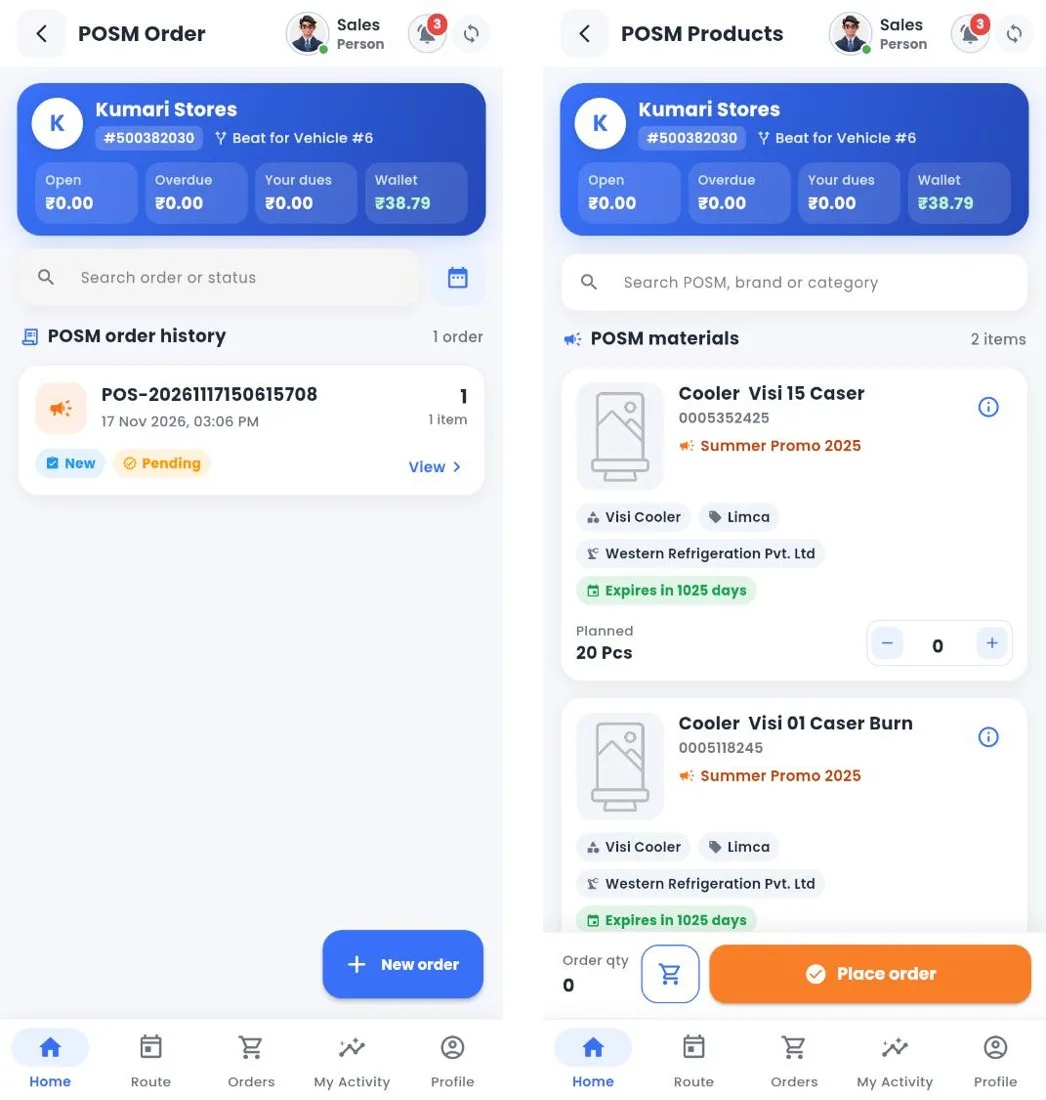
POSM order history and POSM materials
How to
- Open POSM Order to see the customer's POSM orders and their status, then tap New order.
- The materials of running campaigns show their code, campaign, type, brand, manufacturer, expiry and planned quantity. Enter the quantity.
- Tap Place order, check the summary and submit. The order is Pending until it is approved in Nexus.
Still stuck?
Message our support team on WhatsApp in English, Tamil, Malayalam or Hindi.